How to Make a Song for TikTok or Reels with AI (and a Video to Go With It)
How do you make a song for TikTok or Reels with AI?
To make a song for TikTok or Reels with AI, open an AI song generator and ask for a short track built around one hook: the line people will repeat. Say the genre, the mood, a tempo that suits the clip (fast for dances and edits, slower for storytime) and the exact words of the hook. Aim for 15 to 30 seconds of the part that matters, listen, then change one detail and run it again.
Short video runs on hooks. A song that gets the main idea across in the first three seconds, with a line people can repeat, is far more likely to be played again and used by others. AI song generators now write the lyrics, perform the vocal and build the track from a text description, which means anyone with an idea for a clip can have an original sound in minutes. This guide shows how to write the prompt so the song fits a short video, with examples you can copy and ideas for adding visuals.
How to do it in 4 steps
Start from the clip, not the song
Decide what the video shows and what the sound should do for it: set the joke up, carry a dance, underline a moment. A song made for a clip is shorter, simpler and louder in the first seconds than a song made to be listened to alone.
Write the hook in your own words
One line, easy to say out loud, short enough to repeat. Write it yourself and put it in the prompt exactly as you want it sung. The generator builds the verse and the rhythm around it.
Pick tempo, genre and length for the format
Fast and punchy (120 to 140 bpm) suits dances, edits and transitions. Slower and warmer suits storytime and voiceover clips. Ask for a short track with the hook in the first few seconds, so you can trim the best 15 to 30 seconds.
Generate, trim, then add visuals
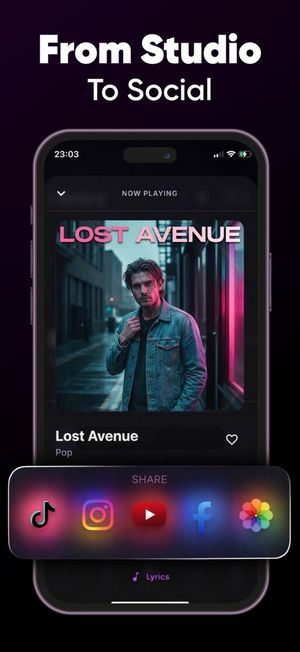
Listen all the way through, keep the best part and cut the rest in your video editor. If you want a video made for the song, an AI music video app can turn the track into a clip. Check the first two seconds on a phone speaker before you post.
Your own sound, ready for the next clip.
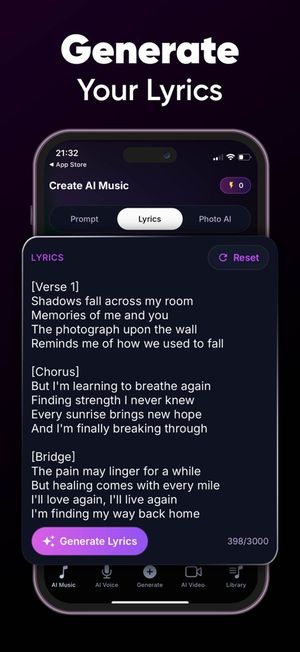
Describe the hook and the mood and Sonx writes, sings and builds a short track. Add a music video when you want visuals too.
Make a sound for my clip →Try Sonx in your browser →Free to start · iPhone and web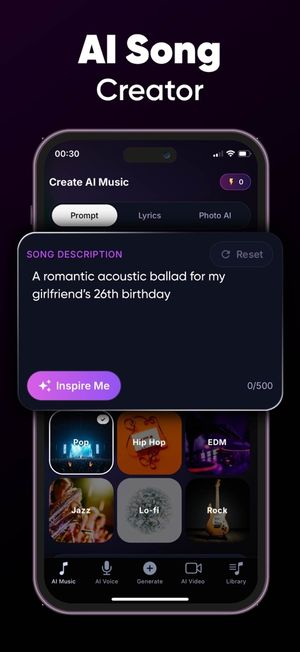

Prefer the app? Scan with your iPhone camera.
6 prompts you can copy
Replace the names and details with your own. The more specific the details, the more the song sounds like it was written for them.
A funny hook for a relatable clip
Pop-punk, short and loudA short, punchy pop-punk song for a relatable video about hitting snooze five times. Fast tempo, shouted hook in the first three seconds that goes five more minutes, then a quick verse about the alarm winning again. Under thirty seconds of main content.
A catchy dance-style sound
Dance pop, 128 bpmA catchy 128 bpm dance-pop track built for a short dance clip. A simple repeating hook that says run it back, a clear drop after sixteen counts and a bright female vocal. Keep the lyrics minimal so people can sing along after one listen.
A storytime backing song
Lo-fi, soft vocalA soft lo-fi track with a gentle vocal for a storytime video about moving to a new city alone. Slow tempo, calm verses about empty boxes and a first apartment, a quiet hook that says it gets lighter. Space in the melody for voiceover.
A song for a brand-new trend
Hyperpop, playfulA playful hyperpop song for a clip where people show their weirdest hobby. Fast, bouncy, a chantable hook that goes everyone has a thing, and a short pause before the last line so the clip can cut. Bright, slightly chaotic energy.
A transition and glow-up sound
Cinematic electronicA cinematic electronic build for a before-and-after transition: slow, tense and quiet for eight seconds, then a big drop and a confident vocal line that says this is me now. Short, dramatic, easy to loop.
A song about the creator
Indie pop, brightA bright indie-pop song about a small creator who posts every day and still gets twelve views. Funny and warm, hook that says twelve people believed in me, upbeat tempo, ends on a clean note that works as a closing sound.
What good detail looks like: example lyrics
Written by our editors to show the level of detail worth putting in a prompt. This is an example of the target, not output from any one generator.
Pop-punk, short and loud
Five More Minutes
Hook
Five more minutes, five more minutes
Alarm says no and I say never mind it
Five more minutes, I swear I mean it
Then the clock says late and I am running
Verse
Pressed it once, then a second time
Hit the third and it felt like a crime
Ideas for how to use it
Open on the hook
Most viewers decide in the first seconds. Ask for the hook to start immediately, with a very short intro or none, and keep the verses brief.
Leave room for the visual beat
Ask for a pause, a drop or a stop at a specific moment so your cut or reveal lands on it. Describe it in the prompt ("a short pause before the last line").
Make it loop
A track that ends close to where it starts loops cleanly. Mention "easy to loop" and keep the last line close to the first.
One idea per sound
A sound that does one thing well (a joke, a transition, a dance) gets reused. A sound that tries several things gets skipped.
Tips for a song that does not sound generic
- Write the hook yourself and put it in the prompt word for word. It is the part people will remember.
- Ask for a short track. It is easier to trim a longer one than to stretch a short one, but a clear hook in the first seconds matters more than length.
- Check the sound on a phone speaker, not headphones. Mobile playback is what viewers hear.
- Avoid names of real artists or songs in the prompt. Describe the style (glossy 80s synth-pop, raspy soul) instead.
- Keep a clean version without profanity if you post to platforms that limit explicit lyrics.
- Check the rules of the platform you post on and, if the video is promoted or monetized, the terms of the tool you made the song with before you publish.
Disclosure: Beatintel, Sonx (the AI song generator) and Reelify (the AI music video app) linked on this page are operated by the same company. The prompts above are plain text and work in any AI song generator. See our editorial standards.
Your own sound, ready for the next clip.
Describe the hook and the mood and Sonx writes, sings and builds a short track. Add a music video when you want visuals too.
Make a sound for my clip →Try Sonx in your browser →Free to start · iPhone and webPrefer the app? Scan with your iPhone camera.
Got a song? Turn it into a music video.
Reelify is an AI music video generator for iPhone, made by the Beatintel team.
Frequently asked questions
Can I make an original sound for TikTok or Reels with AI?
Yes. AI song generators take a text prompt and produce original lyrics, a melody and a vocal. For short video, ask for a short track with a clear hook in the first seconds, then trim the best part in your editor.
How long should the song be?
The part that matters for short video is usually 15 to 30 seconds, so build the song around one hook and trim the rest. A full track is useful if you want people to hear more than the clip.
Can I add a video to the song?
Yes. You can put the track under your own footage, or use an AI music video app to turn the song into a clip. Beatintel, Sonx (the AI song generator) and Reelify (the AI music video app) are operated by the same company.
Can I use the song in a monetized or promoted video?
It depends on the terms of the generator and on your plan. Check the terms of the tool you used, and the platform rules, before you use a song in sponsored or monetized content.
Does the prompt work in any AI song generator?
Yes. The prompts on this page are plain text and work in any generator that makes songs from a description. The links on this page go to Sonx.
More song guides